
Getting Started
Price Alerts on Binance: How to Set Them and Use Them
Price alert + limit order = a decision made calmly and executed without you. How to set up alerts on Binance and the three uses that genuinely help a beginner.
Keeping the chart open all day doesn't improve your decisions — it degrades them. The alternative is letting the system watch for you: price alerts that notify you when the market reaches a level you care about, and limit orders that execute on their own. This guide builds that system in minutes.
How to create a price alert on Binance
- Open the pair you care about (e.g. BTC/BRL) in the app.
- Tap the bell/alert icon on the pair's screen.
- Set the condition: price above X, below Y, or a percentage move over a period.
- Enable the app's push notifications on your phone (without this, the alert exists but you never hear about it).
Alerts are free, practically unlimited, and lock no balance — unlike an order, an alert only notifies.
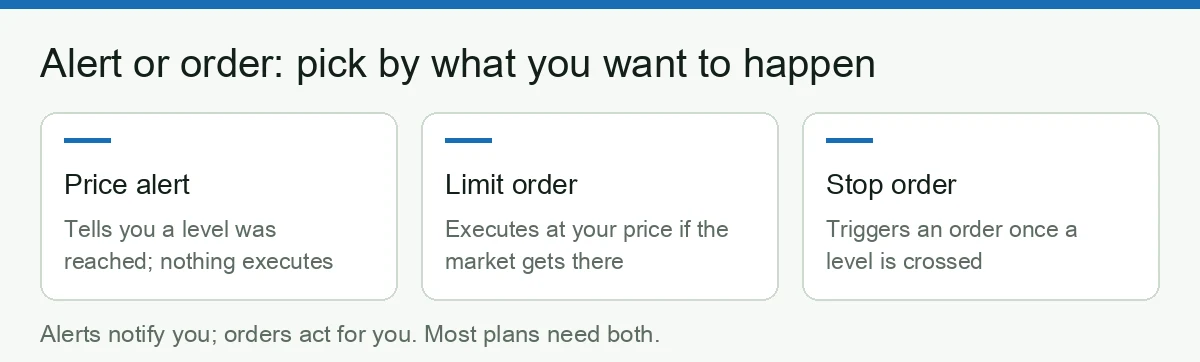
Alert vs order: which one when
| Tool | What it does | When to use |
|---|---|---|
| Price alert | Notifies; the decision stays yours | You want to reassess context before acting |
| Limit order | Executes on its own at your price | Decision already made; only the price is missing |
| Stop | Protects or triggers an entry on its own | Risk management that can't depend on you being awake |
The mature combination: decide calmly today, let alert + order work tomorrow.
Three uses that genuinely help
1. A planned buy zone
You decided to buy BTC if it drops to a certain price: set an alert slightly above the zone (to get ready) plus a limit order in the zone. No overnight chart-watching.
2. Position protection without panic
An alert below your comfort price tells you the market changed; the stop you already placed executes the protection if it worsens. You reassess awake, instead of reacting scared.
3. DCA discipline
Anyone doing recurring buys needs no alert to buy — but an extreme-move alert (say −15% on the week) works as a reminder to rebalance with method, not to pause the plan.
The classic mistakes
- Too many alerts: twenty alerts = no alerts. Constant notifications become ignored noise.
- Alert as impulse: notification arrives → panic buy. The alert should trigger your analysis, not your finger.
- Confusing an alert with a stop: an alert protects nothing; if protection matters, it must be a real order.
- Forgetting crypto's timezone: 24/7. Overnight alerts plus placed orders are the only sustainable vigil.
Bottom line
A beginner with three well-chosen alerts and one limit order trades better than someone checking the chart fifty times a day. Calm decisions, automatic execution, notifications only when they matter — and every execution costs less with the fee discounts (code BNB6669, −20% under current terms).
Can you set a Bitcoin price alert on Binance?
Yes — and it is one of the few features that costs nothing, locks no balance and works whether or not you have an open position. A few practical points people ask about before setting the first one:
- Which assets? Any pair listed on the exchange, not just BTC. If you can trade it, you can watch it.
- How many alerts? Enough for any normal plan. The practical limit is your own attention, not the app: an alert you ignore trains you to ignore the next one.
- Does it work with the app closed? Only if system notifications for the app are enabled on your phone. This is the single most common reason an alert "did not fire" — it fired, and the phone silently swallowed it.
- Does it expire? Alerts are tied to a level, so an alert set far from the current price can sit unused for a long time. Review them periodically and delete the ones that no longer match your plan.
- Does it execute anything? No. An alert notifies you; only an order acts. That distinction is the whole point of the table above.
A setup that actually gets used
Pick two levels per asset you care about, not ten:
- One level where you would buy more. Pair it with a resting limit order so the decision is already made when the level arrives (order types explained).
- One level where you would reconsider the position. This is the one that protects you from checking prices at 2am.
Then leave the app alone. The purpose of an alert system is not to watch the market more closely — it is to earn the right to not watch it at all. If a level fires and you find yourself hesitating, the problem is not the alert: the plan behind it was never specific enough.
Where alerts fit in the bigger picture
Alerts pair naturally with recurring buys, which remove timing decisions altogether (DCA on Binance), and with a clear view of what your position is actually doing. Together, those three habits replace the most expensive behaviour in retail crypto: reacting to a screen.
Affiliate disclosure: this article contains referral links. If you sign up for Binance (code BNB6669) through our links, you get a 20% discount on trading fees and this site earns an affiliate commission, at no extra cost to you.
Risk warning: cryptocurrencies are volatile, high-risk assets; you may lose your entire capital. This content is educational and informational only and does not constitute financial, legal or tax advice. Do your own research before trading.
Regional notice: this site is aimed at readers in Brazil. It is not directed at residents of mainland China, the United States, the United Kingdom or Canada. Check and comply with the regulations in force in your country.